Can an Indian Small Business Run Its Entire Online Operation With Free Tools?
By Ashirbad ••Business• 107 views
Advertisement
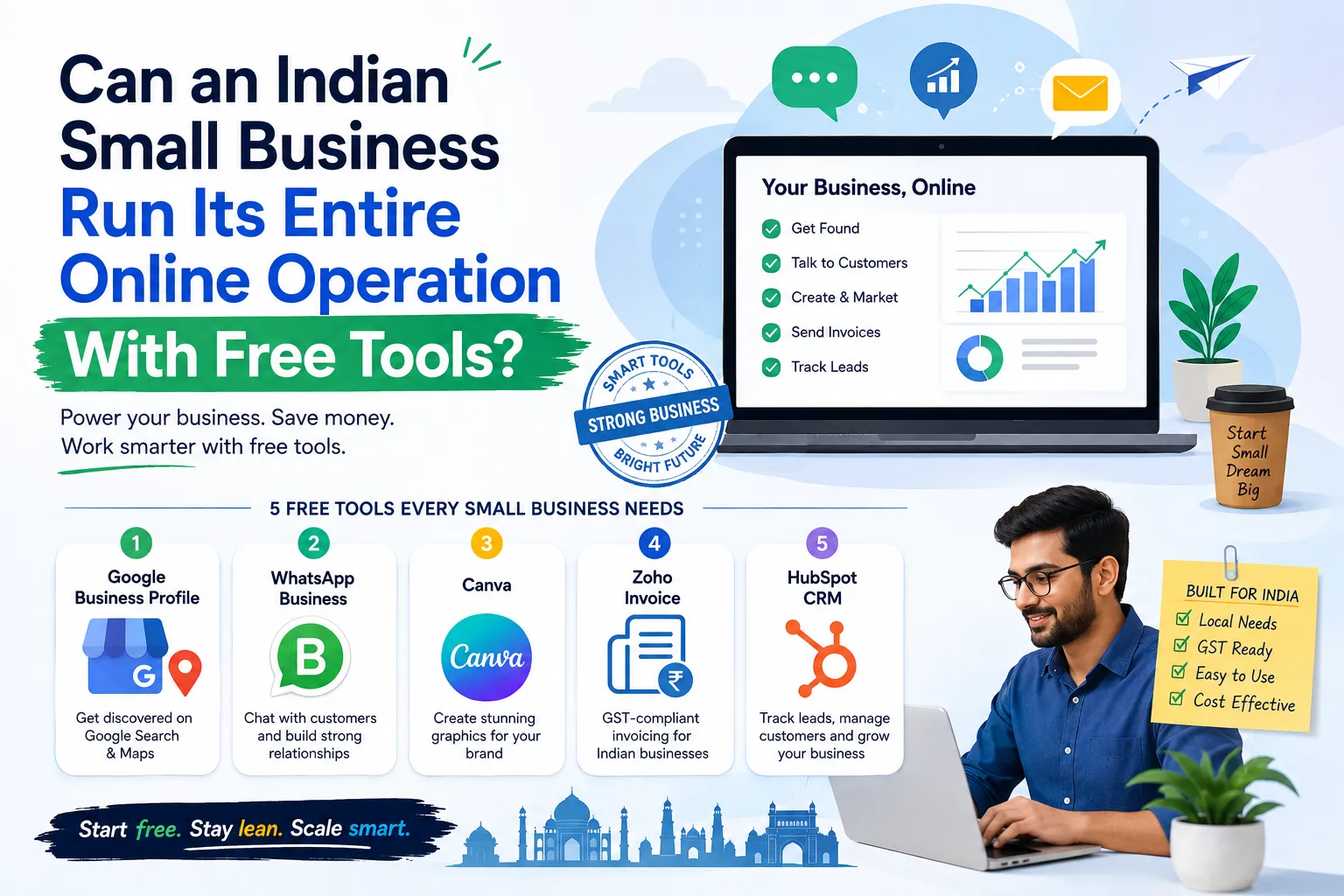
Can an Indian Small Business Run Its Entire Online Operation With Free Tools?
Starting a small business in India doesn't have to mean buying expensive software on day one. A new business needs a website, a way to talk to customers, marketing, invoicing, a way to track leads, and some kind of online visibility. Most of that can be handled with free tools.
The hard part isn't finding software. There are hundreds of apps out there claiming to help. The hard part is finding free business tools for small businesses that are simple enough to actually use every day and good enough to stick with.
So here's the real question:
Can a small Indian business run its entire online operation without spending money on software?
Yes — up to a point.
You'll still have real costs: internet, a domain, hosting, staff, and basic equipment. But for a lot of everyday digital tasks, free tools can cut your software spending down close to zero, at least while you're getting started.
Here are the 5 free tools for small business in India worth setting up first — and an honest look at where "free" stops being enough.
1. Google Business Profile — Get Found on Google
If you run a local shop, a service business, a restaurant, a clinic, a repair shop, or anything customer-facing, a Google Business Profile should be one of the first things you set up online.
It's free to create. Once verified, your profile can show up on Google Search and Google Maps, with your business name, hours, phone number, photos, and location visible to anyone searching nearby.
What you can use it for:
- Showing your business location on the map
- Adding your opening hours
- Uploading real photos of your shop or work
- Posting updates and offers
- Collecting and replying to customer reviews
- Linking your website
- Getting found by people searching nearby
A simple example: say you run a mobile repair shop in Bhubaneswar. Someone nearby searches "mobile repair shop near me." A properly filled-out Business Profile — good photos, correct hours, real reviews — gives you a real shot at showing up in that search and on the map, without spending a rupee on ads.
For any business that depends on local footfall, this is one of the best free tools for small business owners, full stop.
2. WhatsApp Business — Talk to Customers Where They Already Are
For most Indian small businesses, customer conversations already happen on WhatsApp anyway. WhatsApp Business is just the version built for that.
It's designed for businesses that handle customer chats directly — enquiries, order updates, support — without needing a full call-center-style setup.
You can use it for:
- Answering customer questions
- Handling product enquiries
- Confirming appointments
- Sending order and delivery updates
- Sharing product photos and details
- Basic customer support
- Following up on leads that haven't replied yet
A simple example: a home baker can use WhatsApp Business to take cake orders, discuss designs, confirm the date, and share delivery updates — all in one thread, with a proper business profile instead of a personal number.
The one habit worth building early: keep replies organized. Save quick answers for the questions you get asked constantly, and avoid sending customers a wall of text when a short, clear message would do. For a lot of small businesses, WhatsApp genuinely works as a first customer-support system — no separate helpdesk software needed yet.
3. Canva — Marketing Graphics Without Hiring a Designer
Marketing is one of the easiest places for a small business to start bleeding money — a designer for every festival post, every offer banner, every Instagram graphic adds up fast.
Canva fixes a lot of that. You can create:
- Instagram posts
- Posters and flyers
- Offer banners
- Presentations
- Product graphics
- YouTube thumbnails
- Simple ad creatives
Canva's free plan covers a genuinely useful amount of this — some premium templates and assets are locked behind the paid plan, but the free tier alone is enough for regular day-to-day posting.
A simple example: say you run a small clothing store. Instead of paying a designer every weekend for a new sale post, you build one clean template in Canva once, and just swap out:
Product → Price → Discount → Contact details
That one habit alone can save real money every month.
One tip that actually matters: don't let every post look like a random template pulled off the internet. Stick to the same colors, fonts, and logo across your posts so customers start recognizing your brand at a glance, not just reading the text.
For anyone searching for free online tools for small business, Canva is one of the clearest wins on this whole list.
4. Zoho Invoice — Free, GST-Ready Invoicing Built for India
Invoicing is one area where Indian businesses genuinely need software that understands local rules — GST included.
Zoho Invoice offers a ₹0 plan for Indian businesses, and it's built around exactly this: GST-compliant invoices, payment reminders, quotes, recurring invoices, and basic expense tracking, at no cost.
That makes it especially useful for freelancers, consultants, small agencies, and contractors who need to look professional without paying for accounting software they don't fully need yet.
What you can do with it:
- Create GST-compliant, professional invoices
- Send invoices by email or WhatsApp
- Track which invoices are paid and which aren't
- Send automatic payment reminders
- Create and send quotes
- Record basic business expenses
- Set up recurring invoices for repeat clients
- Accept payments through UPI, cards, or net banking (via supported payment gateways)
A simple example: a freelance web designer can send a clean, GST-ready invoice in two minutes instead of formatting one by hand in Word every single month.
If you outgrow the free plan or your GST situation gets complicated — multiple states, higher turnover, complex filing — that's the point to bring in a real accountant or a paid accounting tool like Zoho Books or Vyapar. Free invoicing software is a great starting point, but it isn't a substitute for proper tax advice.
For anyone typing free software for small business India into Google, this is one of the more genuinely useful, India-specific results out there.
5. HubSpot CRM — Stop Losing Customers in WhatsApp Chats and Spreadsheets
As a business grows past the first few customers, things get messy fast.
One customer's details live in WhatsApp. Another's in an email thread. A third is scribbled in a notebook. Someone else only exists as a phone number saved under a nickname.
This is exactly the problem a CRM solves.
HubSpot's free CRM is genuinely free — no trial, no expiry date, no credit card needed to start. It covers the basics well: storing contacts, tracking deals, managing simple follow-up tasks, and basic email tracking. Worth knowing upfront, though: the free plan currently caps out at 1,000 contacts and 2 users, so it's built for a solo founder or a very small team, not a growing sales department. Once you outgrow that, you move to a paid tier — or to something like Zoho CRM's free plan, which supports up to 3 users and is a common India-friendly alternative.
How a small business actually uses a CRM:
Imagine you run a small digital marketing agency and get 20 enquiries in a month. Without any system, some of those leads simply get forgotten. With a CRM, you record each one the same way, every time:
Name → Contact → Requirement → Follow-up date → Status → Result
That one simple habit is often the difference between a business that converts its leads and one that quietly loses half of them.
So — Can These Free Tools Run an Entire Small Business?
Not completely. And that distinction matters.
Here's what these five tools genuinely cover:
| Local visibility | Google Business Profile |
| Customer communication | WhatsApp Business |
| Marketing design | Canva |
| GST invoicing | Zoho Invoice |
| Customer & lead tracking | HubSpot CRM |
Put together, that's a surprisingly solid digital setup for very little cost. But a real business still needs more than this — things like:
- A domain name
- Website hosting
- Proper accounting or a CA for GST filing
- Payment processing
- Inventory management, if you sell physical products
- Business registration
- Basic cybersecurity and data backups
- Paid advertising, once you're ready to scale beyond word of mouth
So the goal here isn't "run everything for ₹0 forever." The smarter goal is:
Don't pay for software until you actually need it.
How I'd Build a ₹0 Software Stack From Scratch
If I were starting a small service business in India today, here's exactly how I'd sequence it — in order, not all at once.
Step 1: Get discoverable. Set up and verify your Google Business Profile first. It's free, and it starts working for you the moment it's live.
Step 2: Start talking to customers. Move enquiries and support onto WhatsApp Business instead of a personal number.
Step 3: Start marketing. Use Canva to create your first few social posts and offer graphics — build one solid template you can reuse.
Step 4: Send real invoices. Use Zoho Invoice the moment you have your first paying customer, so you look professional and stay GST-compliant from day one.
Step 5: Organize your leads. Once tracking enquiries manually starts feeling messy — usually somewhere around 15-20 leads a month — move everything into a free CRM.
This order matters. It stops you from making the common mistake of signing up for five paid subscriptions before your business has even found its first real customer.
Final Verdict: Are Free Tools Actually Enough?
For a new business, yes — they're enough to get started, and often enough to run comfortably for the first year or two.
The best free tools for small business aren't the ones with the longest feature list. They're the ones that solve a real, everyday problem without forcing the owner to spend hours learning complicated software.
For an Indian small business specifically, Google Business Profile, WhatsApp Business, Canva, Zoho Invoice, and HubSpot CRM together cover a genuinely large chunk of daily online operations — visibility, communication, marketing, invoicing, and lead tracking.
The biggest win here isn't really the money saved. It's the lower barrier to getting started at all.
A local shop can build a real online presence with zero design budget. A freelancer can send GST-ready invoices without hiring an accountant on day one. A consultant can keep every client organized in one place. A small agency can stop losing leads in a WhatsApp scroll. A first-time founder can make marketing material that looks professional without ever hiring a designer.
But be honest with yourself about one thing: free software doesn't build a successful business by itself.
Your product, your service quality, how you treat customers, and whether you're actually solving a real problem still matter far more than which tools sit in your browser tabs.
Start with free tools. Figure out what your business actually needs as it grows. Then pay for software only when the paid feature genuinely saves you enough time or money to be worth the cost.
That's a much smarter way to build a business than paying for expensive software just because a bigger competitor uses it.
FAQ: Free Tools for Small Business in India
Can a small business in India really run online for free?
Mostly, yes — at least in the early stages. Google Business Profile, WhatsApp Business, Canva, Zoho Invoice, and a free CRM cover visibility, communication, marketing, invoicing, and lead tracking without a subscription. You'll still likely pay for a domain, hosting, and eventually accounting help as you grow.
What are the best free tools for a small business in India?
For most small businesses, a strong starting stack is Google Business Profile for visibility, WhatsApp Business for customer chats, Canva for marketing graphics, Zoho Invoice for GST-compliant billing, and a free CRM like HubSpot or Zoho CRM for tracking leads.
Is Zoho Invoice really free for Indian businesses?
Yes, Zoho Invoice offers a ₹0 plan built specifically for Indian businesses, with GST-compliant invoicing, payment reminders, and recurring invoices included. It doesn't replace a proper accountant if your GST situation gets complex.
Is HubSpot CRM actually free, or does it expire?
It's genuinely free with no expiry date and no credit card required. The catch is the free plan caps out at 1,000 contacts and 2 users, so it works best for solo founders or very small teams rather than growing sales departments.
Do I need a website if I already have a Google Business Profile and WhatsApp?
Not immediately. Many small, local, service-based businesses run for a long time on just a Business Profile and WhatsApp. A website becomes more useful once you want online orders, more credibility for bigger clients, or better long-term SEO visibility.
When should a small business start paying for software instead of using free tools?
The general rule: switch to paid the moment a free plan's limit is actually costing you business — like losing leads because your CRM contact limit is full, or losing customers because your invoicing tool can't handle your GST needs anymore. Don't upgrade just because a competitor did.